Dual booting OBSD & nix on Panasonic CF-20
2026-02-02
Dedicated to our beloved Khopchand/Khopchan/Khopa.

You will stay forever in our memories and, see you in the rainbow bridge.
I got a rugged hardware, CF-20 to tinker with OBSD but later realized it doesn't play good in the *nix world to begin with. The first thing is numerous varient, with drivers from multiple vendors!
The *nix detects it as CF2002 but it's not same as CF-20 mark II, the device I have has GPS + GSM integrated module along with egalax touch screen and stylus.
I wanted to see it's glory in *nix before slapping off with OBSD, but it was not what I thought. The opensource drivers couldn't recognize the stylus or multi touch. This screen is advertised to support touch with gloves, stylus, finger and all other objects one could think off. I have partially verified these features for 10min before wiping off the binwdows to Oblivion.
The egalax drivers were published on the cyberspace, so I started building LTE kernals with those. I was able to get multi touch working but never the stylus. It was dragging me for long and I'm impatient to see the puffer swimming. So, the dual boot.
I'm writing notes for offline installation, since it saves everyone from self harm ;). Last time when I used ventoy, OBSD was not supported but it's not the case anymore, so the practices reflects for OBSD 7.8 & EndeavorOS Ganymede-Neo. The 6.18-*nix kernals are built on EndeavorOS, that's the reason for the particular OS but I believe any arch-based should follow the same methodology.
Preparation
It's best to have two usb drives. One with ventoy having iso files of OBSD and *nix. The other usb drive with obsd.img dd-ed.
Make sure to install a *nix OS that has flexibility to choose the bootloader on installation and a helper for generating initramfs images. Ensuring these will make the process really painless because this guide uses rEFInd as a boot loader.
Endeavor OS installation
For a basic installation, manually partition the disk into 3. I use the following structure for 240G disk,
                  mountpoint     format
--------------------------------
 sda1 2048   MB   (/efi)         FAT32
 sda2 160000 MB   (/)            ext4
 sda3 (untouched)
Using the installer, label /efi partition as 'boot' and / as 'root'. These are the minimum requirements in most of the case and leave the unalloated partition for OBSD data. Endeavor OS installer has an option for "no-boot loader" along with "grub" and "systemd". It's best to choose "no-boot loader" right at this stage and chroot to install refind after the installation.
Once the installation has been sucessfull, mount the installed drives accordingly,
# mount /sda2 /mnt
# mount /sda1 /mnt/efi
Since it is an offline install so far, this is right stage to make cyberspace connection and update the packages via chroot.
# arch-chroot /mnt/
(local drive) # pacman -Syyu
(local drive) # pacman-keys --populate
Once the system is upto date, generate the initramfs for the installed kernals,
Endeavour OS has a helper called Dracut. It's going to generate files on the /boot
partition. After this process, follow it with the installation of refind and
it's corresponding config files.
(local drive) # pacman -S dracut eos-dracut
(local drive) # dracut-rebuild
(local drive) # ls /boot
initramfs-linux-fallback.img initramfs-linux.img  vmlinux-linux
(local drive) # pacman -S refind && refind-install
(local drive) # ls /boot
initramfs-linux-fallback.img initramfs-linux.img refind_linux.conf vmlinux-linux
Make sure this is good by rebooting *nix from refind menu. Once inside the installation, allocate the free space as Openbsd data (on the last page of 'Type') with cfdisk.
$ sudo cfdisk
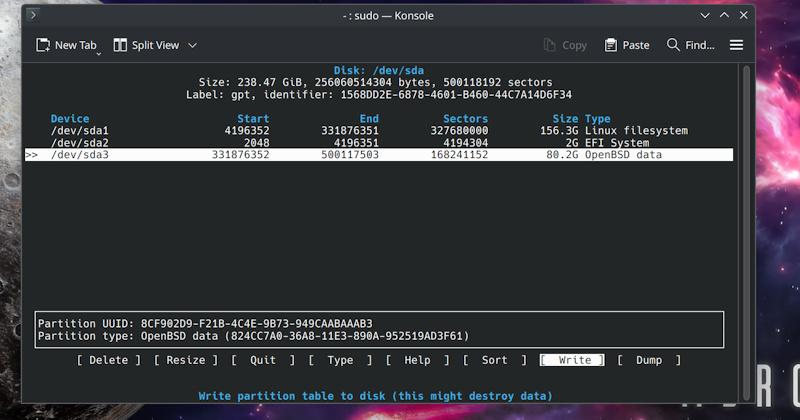
Time to boot OBSD iso from ventoy.
OBSD 7.8 installation
It's mostly just closing the eyes and accepting the default options! One thing to be cautious is root disk and the usage of OpenBSD partition for layout allocation (Again these are the default options).
When it comes to set list installation, since it's offline installation, plug in another usb drive with *.img and choose "disk" option. I couldn't figure to do this within ventoy drive so this is the easiest option right now. Choose the drive id visible (sd2 in my case) from the blue prompt and again it's just smashing 'enter'.
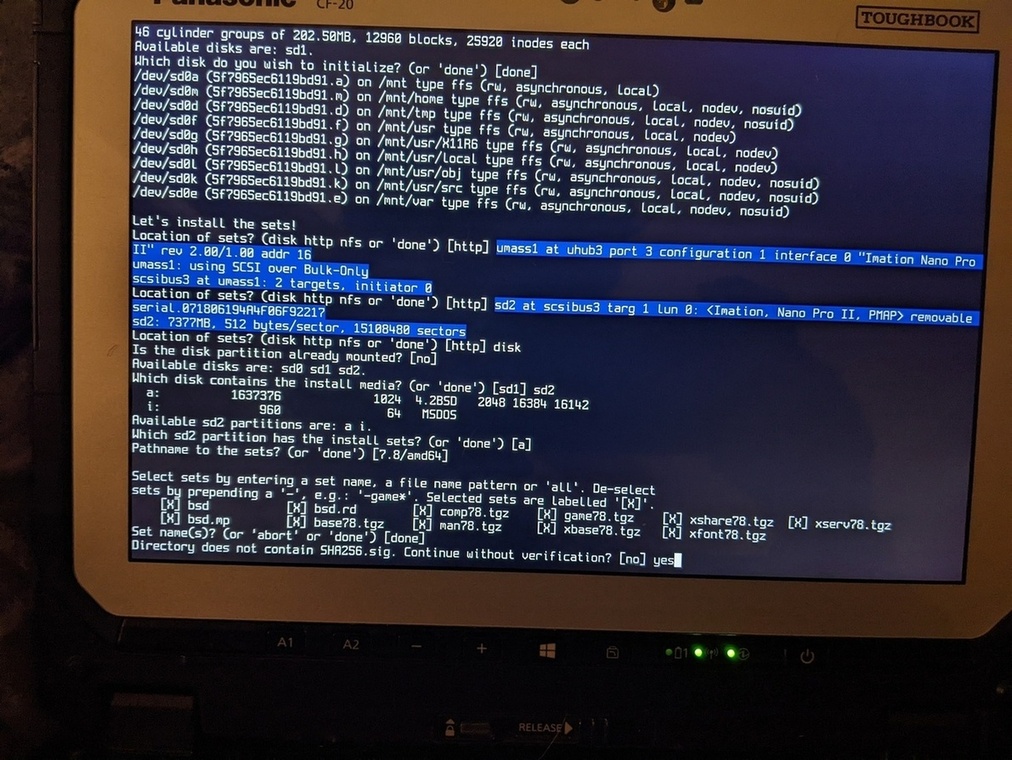
If everything works all right, there will be entries for refind and OBSD in the CF-20's bios menu. Change the priority of refind and that's it done!
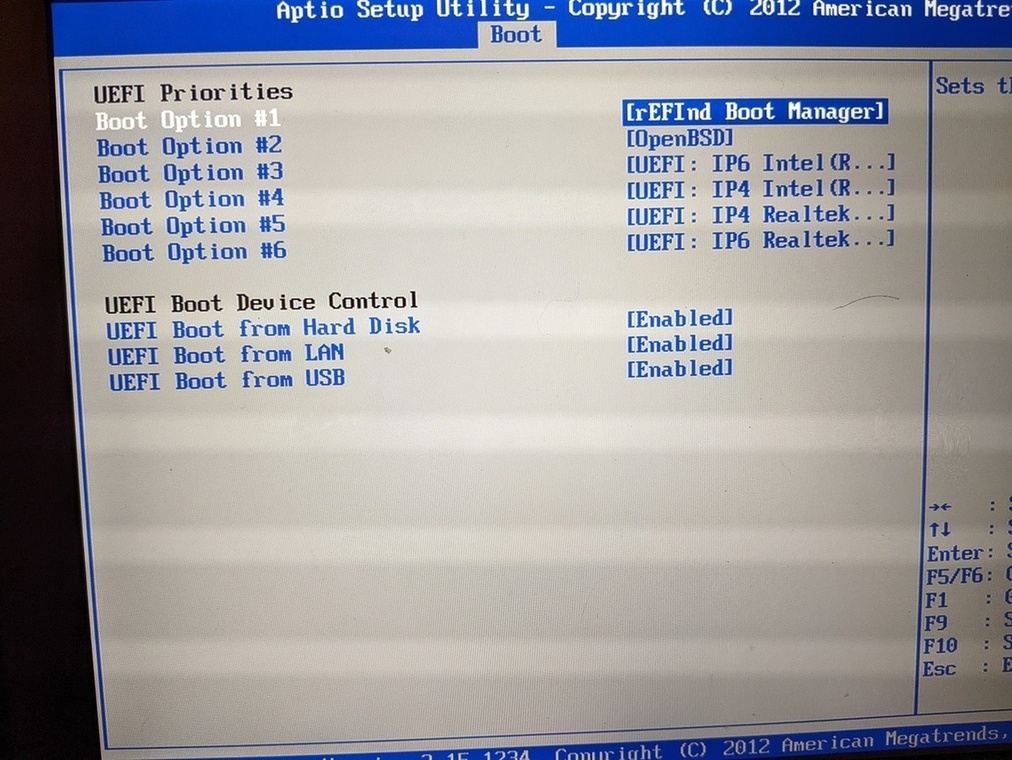
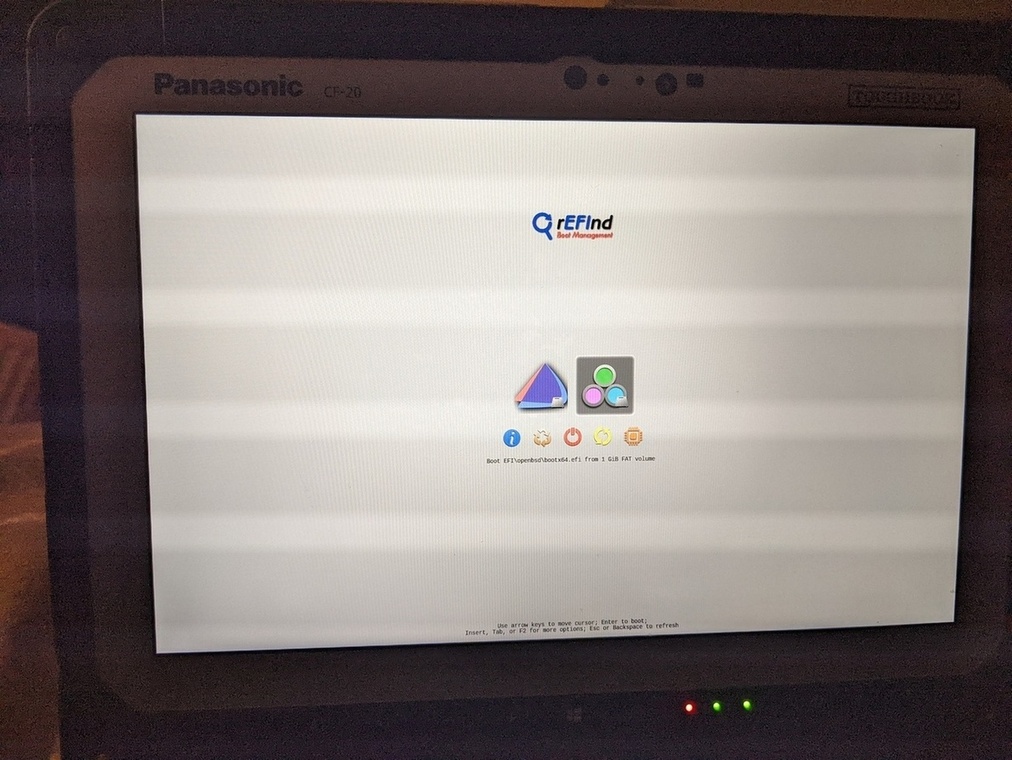
This might not be the straight forward all the time, there are cases I have came across from the cyberspace blogs - jasper.la's EFI, tonnochi.net's dual boot where particular EFI files are needed for refind to recognize.
Non Ideal World
Boot into OBSD from bios directly, it might be necessary to create refind entry for OBSD. First locate the linux data and /efi partition, these will be labelled as ext2fs and MSDOS respectively.
# disklabel -p m sd0
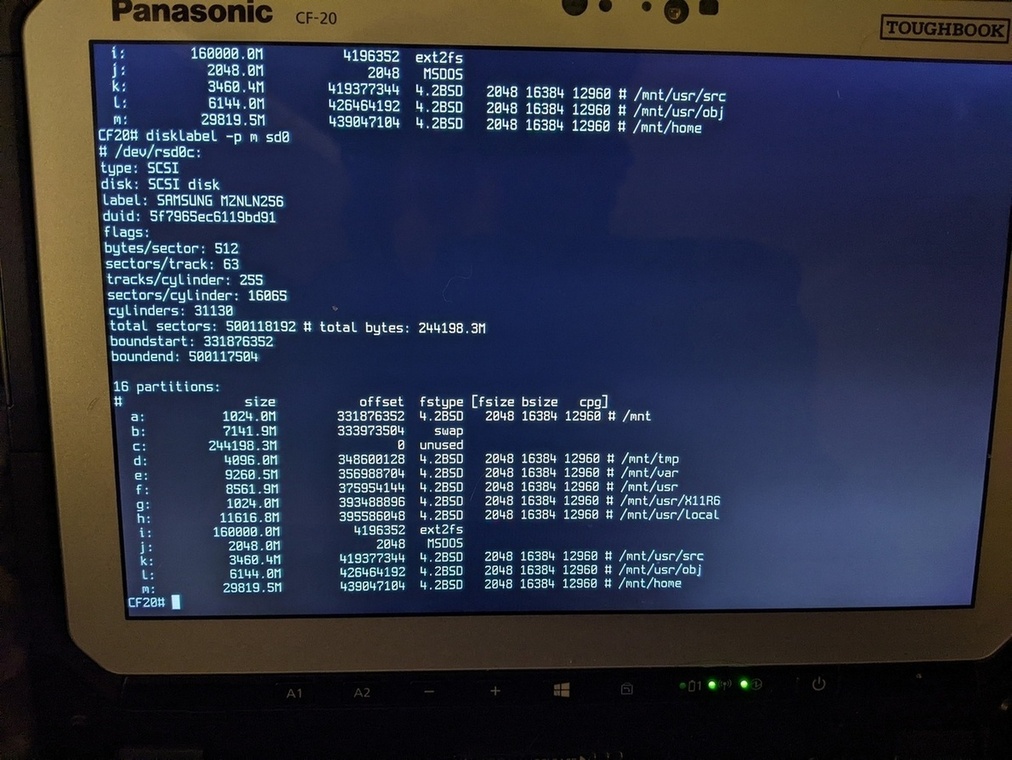
Here sd0j is the /efi partition, hence mount it and copy the openbsd's BOOT*.EFI
into it.
# mkdir /tmp/test
# mount /dev/sd0j /tmp/test
# cp /usr/mdec/BOOTX64.EFI /tmp/test/EFI/openbsd/
Create a boot entry on refind.conf as well, /tmp/EFI/refind/refind.conf as
menuentry "OBSD" {
    loader /EFI/OpenBSD/BOOTX64.EFI
}
This is more than enough for the refind to recognize the OBSD partition.
OBSD Afterboot
Before proceeding with post installation, I needed to get wifi drivers working on CF-20. Again the painless way is having an ethernet cable and updating firmware but since it's not an ideal world, the next best option is usb tathering with a tracking device - mobile phone! (wondering whether ubports phone works?).
# dhcpleasectl urndis0
# fw_update
Phone can now be unplugged and ifconfig can be used to configure iwm0 interface.
# wifi
ifconfig iwm0 up
echo join <ID> wpakey <pass> >> /etc/hostname.iwm0
sh /etc/netstart iwm0
This gets me the bare box that's connected to cyberspace \o/.